> ## Documentation Index
> Fetch the complete documentation index at: https://docs.nearplay.app/llms.txt
> Use this file to discover all available pages before exploring further.
# Projects
> Create, import, and manage your smart contract projects
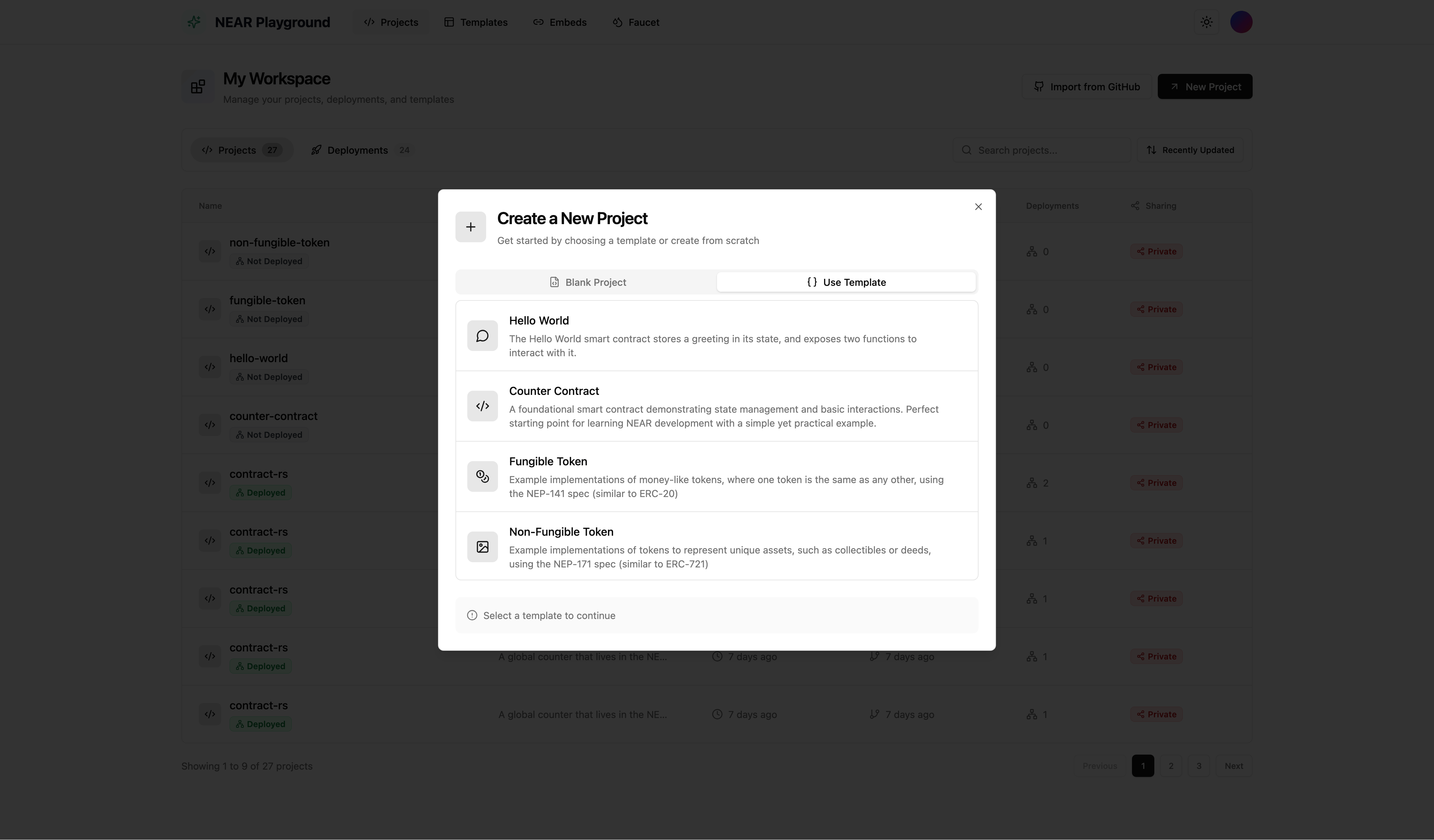
## Create a New Project
1. Click **New Project** from the projects dashboard
2. Choose your starting point:
* **Blank Project** - Start with an empty `lib.rs` file
* **Template** - Choose from pre-built contract templates (Counter, Greeting, etc.)
3. Enter a project name
4. Click **Create**
 ## Import from GitHub
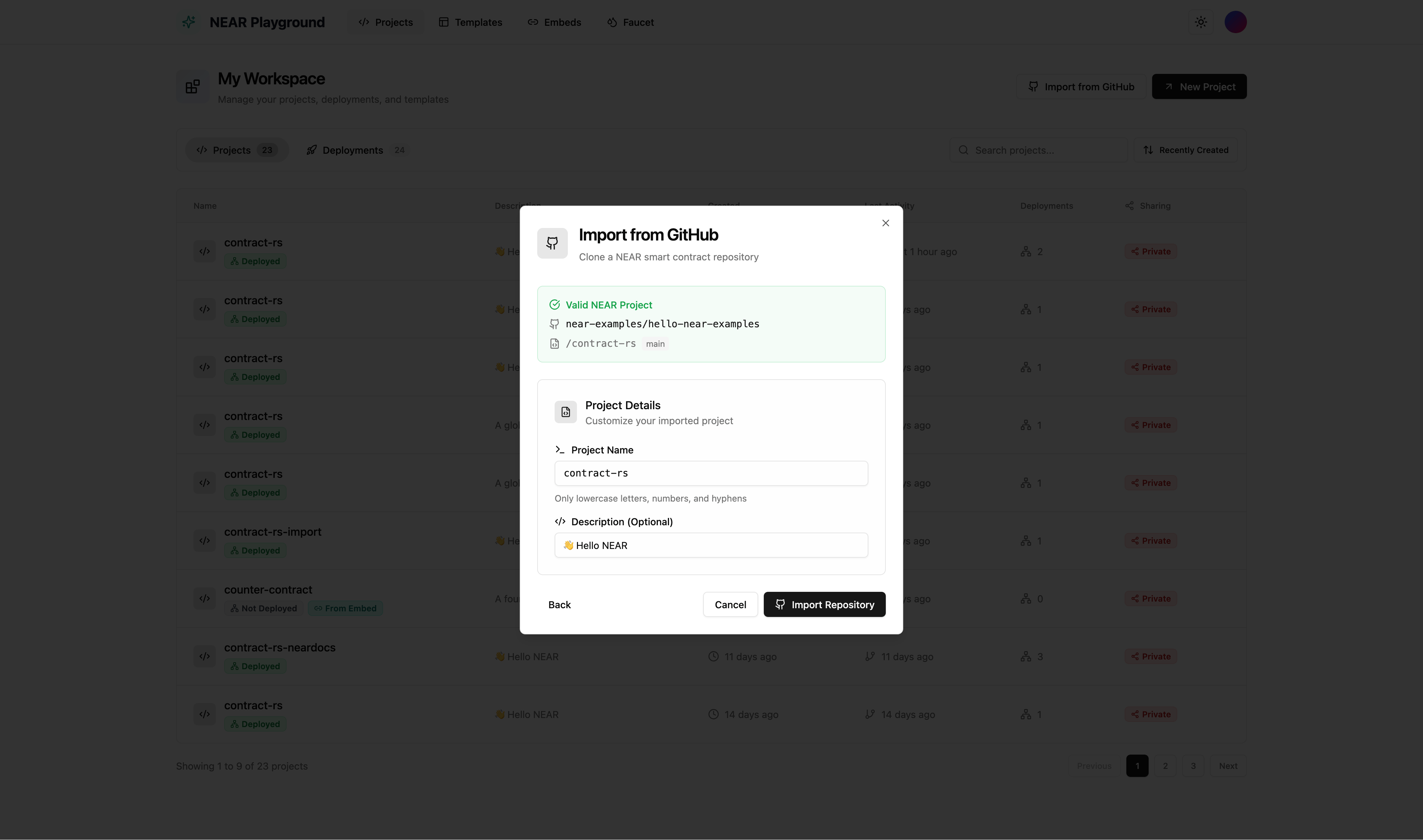
Import an existing NEAR smart contract directly from a GitHub repository.
1. Click **Import from GitHub** on the projects dashboard
2. Enter the GitHub repository URL (e.g., `https://github.com/user/my-contract`)
3. Select the branch and folder containing your contract
4. Click **Import**
## Import from GitHub
Import an existing NEAR smart contract directly from a GitHub repository.
1. Click **Import from GitHub** on the projects dashboard
2. Enter the GitHub repository URL (e.g., `https://github.com/user/my-contract`)
3. Select the branch and folder containing your contract
4. Click **Import**
 **Import Requirements:**
* The repository must contain a `Cargo.toml` file with `near-sdk` as a dependency
* If the contract is inside a subfolder (not in the repo root), provide the full URL to that folder
* If the root directory doesn't include a valid `Cargo.toml` with `near-sdk`, you must specify the folder path that contains it
**Example:** `https://github.com/near-examples/hello-near-examples/tree/main/contract-rs`
## View All Projects
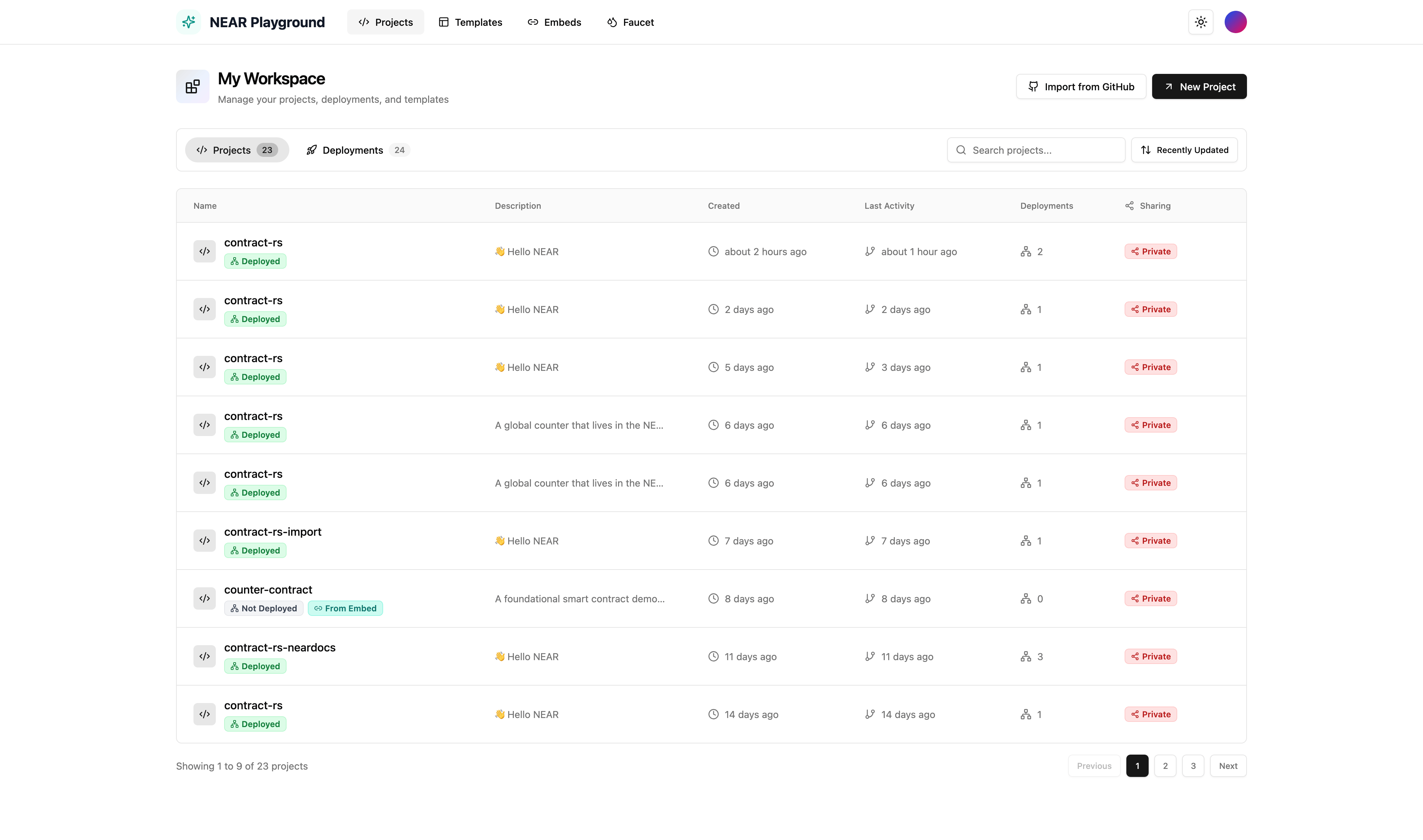
The projects dashboard shows all your contracts in one place.
* **Search** - Find projects by name or description
* **Sort** - Order your projects by:
* Recently Created (default)
* Oldest Created
* Recently Updated
* Oldest Updated
* Name (A-Z)
* Name (Z-A)
* **Actions** - Open in new tab, edit, export as zip, or delete
**Import Requirements:**
* The repository must contain a `Cargo.toml` file with `near-sdk` as a dependency
* If the contract is inside a subfolder (not in the repo root), provide the full URL to that folder
* If the root directory doesn't include a valid `Cargo.toml` with `near-sdk`, you must specify the folder path that contains it
**Example:** `https://github.com/near-examples/hello-near-examples/tree/main/contract-rs`
## View All Projects
The projects dashboard shows all your contracts in one place.
* **Search** - Find projects by name or description
* **Sort** - Order your projects by:
* Recently Created (default)
* Oldest Created
* Recently Updated
* Oldest Updated
* Name (A-Z)
* Name (Z-A)
* **Actions** - Open in new tab, edit, export as zip, or delete