Test Runner Interface
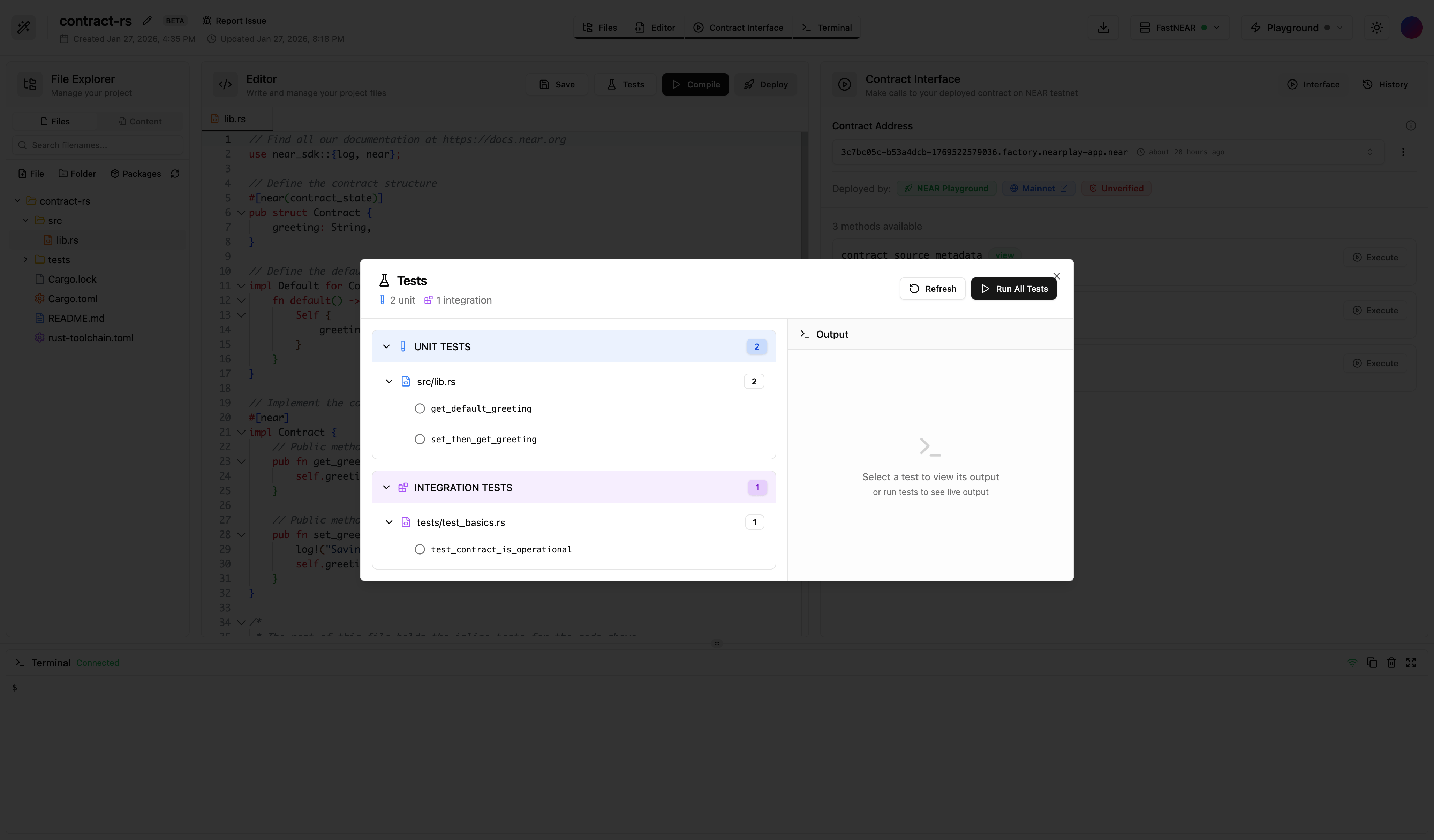
The test runner opens in a dedicated modal with two panels:- Left Panel - Displays discovered tests organized by file
- Right Panel - Shows live test output as tests execute
Writing Tests
Add unit tests using the standard#[test] attribute:
Running Tests
- Click the Tests button in the editor toolbar
- The Tests Modal opens showing all discovered tests
- Click Run All Tests to execute all tests, or click on individual tests to run them separately
- Watch the live output stream in the right panel
- View pass/fail status indicators next to each test
Test Results
After tests complete, you’ll see:| Indicator | Meaning |
|---|---|
| Green checkmark | Test passed |
| Red X | Test failed |
| Spinner | Test running |
Features
- Automatic Discovery - Tests are found by scanning for
#[test]attributes - Live Streaming - Output appears in real-time as tests run
- Per-Test Execution - Run all tests or select individual tests
- Copy Output - Copy test results to clipboard
Tips
- Keep tests small and focused on one behavior
- Use descriptive test names that explain what’s being tested
- Test both success cases and error cases
- Use
assert!,assert_eq!, andassert_ne!macros